

 Join early
The computer for curious
kids
Kale follows your child’s curiosity and turns it into real learning, built for how capable kids actually are.
Lessons, questions,
and room to explore
Kale pairs topics picked for your child with hands-on activities
and the freedom to ask anything, so every kind of learning has a home.
A dedicated space
for learning
Most learning tools are a pile of separate apps that never talk to each other. Kale is one connected place, where a single curiosity can branch into every subject.

How many colors are in a rainbow?

Why are leaves green?

When did the Olympics start?
New questions picked for you every day
The homepage offers a fresh mix of questions across nature, history, art, and whatever else might catch their eye. Each card is an invitation to begin, with no rigid menu to work through.
As Kale learns what your kid enjoys, the questions grow more personal. There is always another interesting thread to pull.
The homepage brings a fresh mix of questions every day. As Kale learns what they love, the cards become more personal.

Why are leaves green?
How many colors are in a rainbow?

What is the slowest animal?
When did the Olympics start?

What lives at the bottom of the sea?

How were the pyramids built?

How do you write a story?

Who invented the light bulb?
YOUR TRAIL
KEEP EXPLORING
One question leads to another
Tap a card to open its chat thread. Kale answers in small steps, with pictures and ideas that make it easy to ask the next question.
Kids can follow a topic as far as they like, or ask something entirely their own by voice, camera, or typing. Their curiosity sets the direction.
A card opens a chat thread where answers, pictures, and follow-up questions help them keep exploring. They can ask anything of their own, too.
Which animal is the fastest?
On land, it’s the cheetah! It can run about 70 miles an hour.


That’s as fast as a car on the highway.
KEEP EXPLORING
Draw a cheetah
Quiz me on fast animals
Is anything faster?
Why are cheetahs so fast?
Less managing for parents. More independence for kids.

Creative tools that set imagination free
Kids can draw, write, take photos, and build projects on Kale. It all lands on their Desk, theirs to revisit, add to, or share with the people they love.
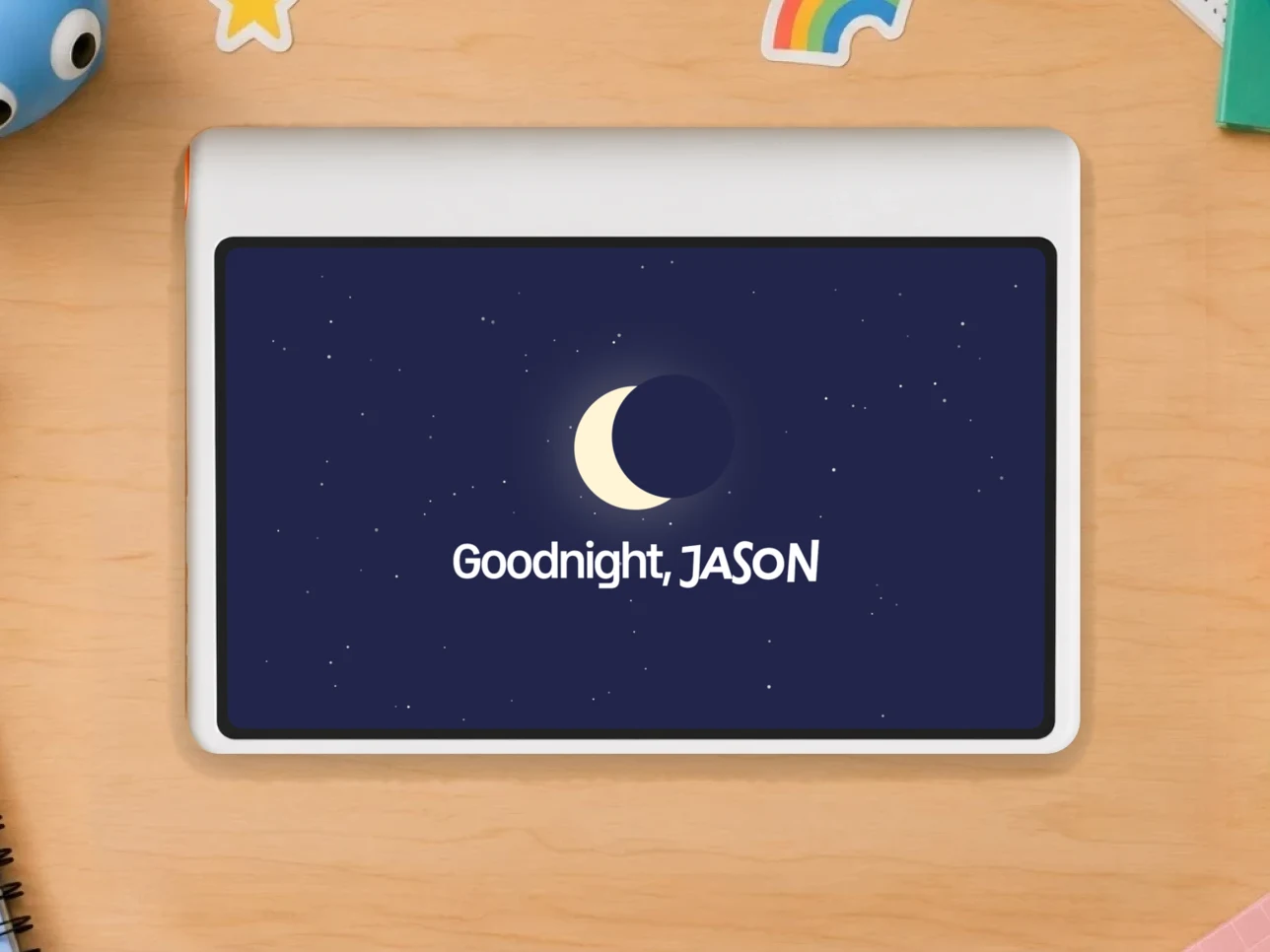
Kale handles the goodbye
Kale winds things down calmly, with a heads-up kids can see coming, so you’re not the one taking the screen away.

Some things are better with Grandma
With Playtime, kids can call approved family and even share their screen, so the people who make learning fun can be part of it wherever they are.
Made to wonder
We built Kale to give kids a protected space to explore, learn, and create, away from endless feeds and doomscrolling, so screen time is intentional.
A protected space for kids to explore, learn, and create, with screen time that feels intentional.
A window into
their world
The parent app brings you closer to what’s catching their imagination and how they’re growing, with a little less guesswork.
- 01
A high-level view of the questions they keep asking, the subjects they’re drawn to, the bigger questions saved for you to talk through together.The questions they keep asking, and the big ones saved for you to talk through.
- 02
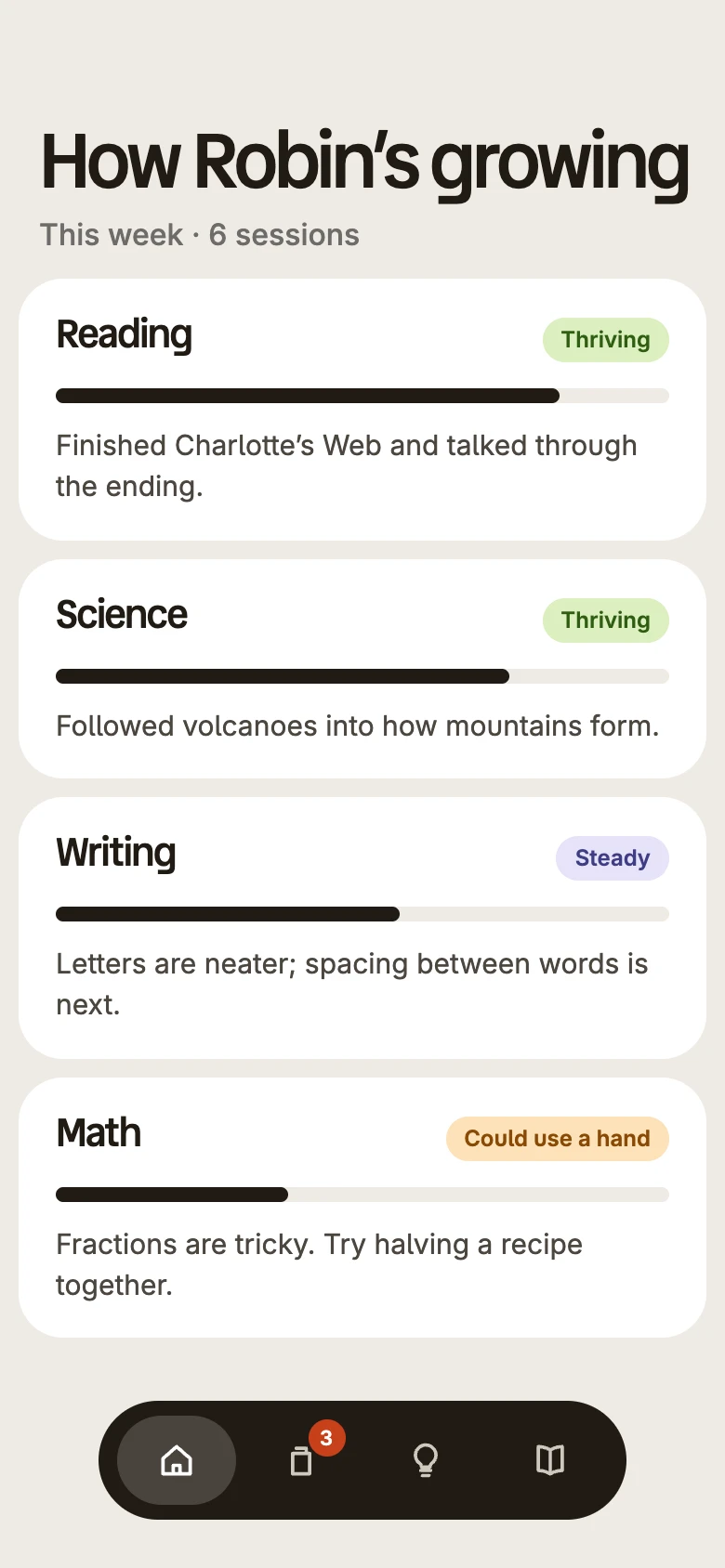
See how your child is doing across subjects, where they’re thriving and where they might need a hand, so you can support them without hovering.Where they’re thriving, and where they might need a hand.
- 03
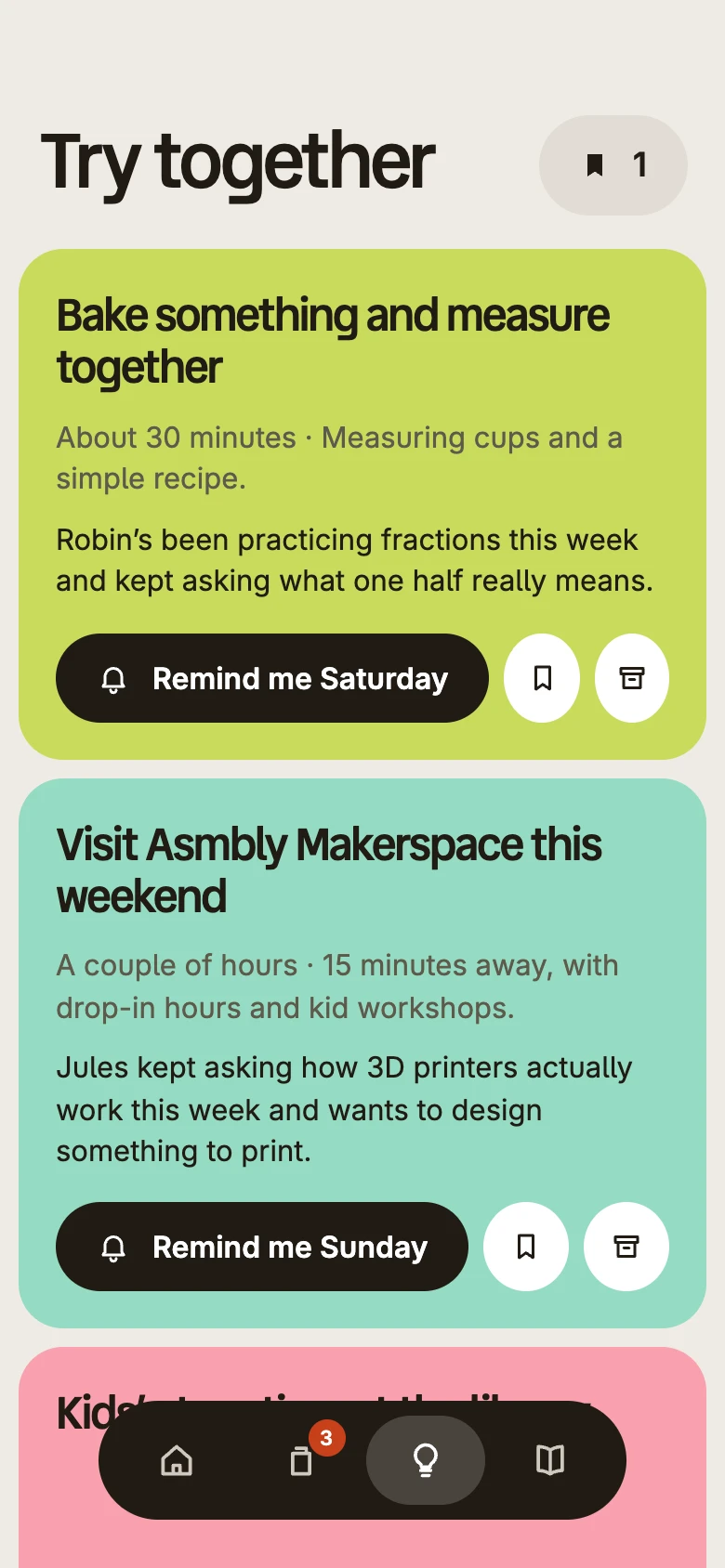
Based on what they love, Kale suggests ways to extend the learning in real life. A dinosaur exhibit, fractions at the dinner table, a trip to the library.Real-life ways to keep the learning going, from a dinosaur exhibit to fractions at dinner.


A few good
questions
What is Kale?
Kale is a computer for curious kids. It starts with what your child is interested in and turns it into real learning, connecting their questions to things to explore, make, and understand. It’s built to be intentional screen time, not a feed to scroll.
What can kids do in the beta?
In the beta, kids can ask questions out loud and get thoughtful answers, and explore Kale’s encyclopedia, which surfaces new things to learn about each day. They can also draw, and use the camera to capture and ask about the world around them. The subject-specific learning apps, like math, writing, and reading, aren’t part of the beta yet, and some other features across the device and parent app are still limited.
How do sessions work?
You decide how long sessions last in the parent app. Kale gives a gentle heads-up and helps your child wind down when time’s up, so you’re not the one policing the clock.
What’s in the parent app?
The parent app is a window into your child’s world. You’ll see what they’re curious about, the questions they keep asking, and ideas for extending their learning in real life. You can manage settings, sessions, and family profiles with simple, natural language, and a question jar surfaces bigger or sensitive questions for you to talk through together.
What does being in the beta mean?
Kale is still taking shape, and the beta is a chance to try it early and help us make it better. It includes usage data that helps the team understand what’s working and what needs attention. We’ll walk participating families through exactly what’s included, and what’s still coming, before they begin.
How can my family try Kale?
Join our founding families to be among the first to try Kale and help shape the product. You can also reserve a Kale through our reservation page.
Help shape
what comes next
Join the beta list for updates and a chance
to try Kale with your family.
